
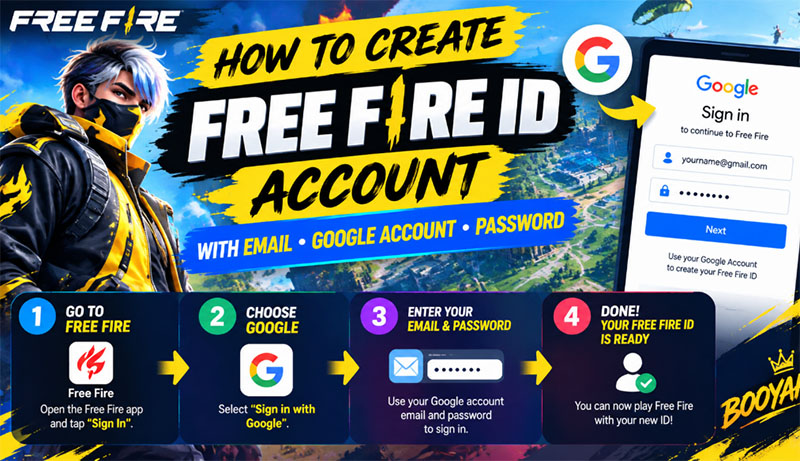
Want to start playing Free Fire without spending any money? Creating a new account with your Google account is one of the easiest ways to get started. You can link your game progress to your Gmail account and use Google sign-in whenever you want to access your account.
Follow this simple step-by-step guide to create your Free Fire account quickly and securely.
Step 1: Sign in to Your Google Account
Before launching Free Fire, make sure the Gmail account you want to use is already signed in on your device.
- Android: Open Settings → Accounts (or Passwords & accounts) → Add account → Google, then sign in with your Gmail address and password.
- iPhone or iPad: Make sure you have access to the Google account you want to use. You can sign in through the Google app or your browser if necessary.
Once your Google account is ready, you can move on to the next step.
Step 2: Open Free Fire and Choose Google Login
- Launch the Free Fire game on your mobile device.
- If you are currently playing as a guest, open the in-game Settings by tapping the gear icon.
- Log out of the guest account if necessary. Be careful: guest progress may not be recoverable after logging out or changing devices.
- Return to the main login screen and tap More or the available additional login options.
- Select Sign in with Google or Log in with Google.
- Choose the Gmail account you want to connect to Free Fire.
- Follow the on-screen instructions to complete the sign-in process.
Step 3: Set Up Your New Free Fire Account
After successfully signing in with Google, Free Fire may ask you to:
Select your region or server, depending on the game’s current setup.
Create a unique in-game nickname.
Complete the initial game tutorial.
Choose a nickname you like, finish the setup, and you are ready to enter the world of Free Fire!
Your account and game progress: Your progress will be associated with the Google login you used, provided the account is successfully linked. Keep access to your Google account so you can sign in again later.
Important Security Tips
Stay away from websites that advertise “free Free Fire accounts” with public Gmail addresses and passwords. These accounts may be stolen, shared with many users, or used to collect personal information.
For the safest experience:
- Create your own Google account or use your personal Gmail.
- Never share your Google password or verification codes.
- Avoid suspicious websites promising free accounts, diamonds, or exclusive rewards.
- Use only official Free Fire login options.
Creating your own Free Fire account with Google is free and gives you a more reliable way to access your game.
Read more: How to Create a Free Blox Fruits Account ?