
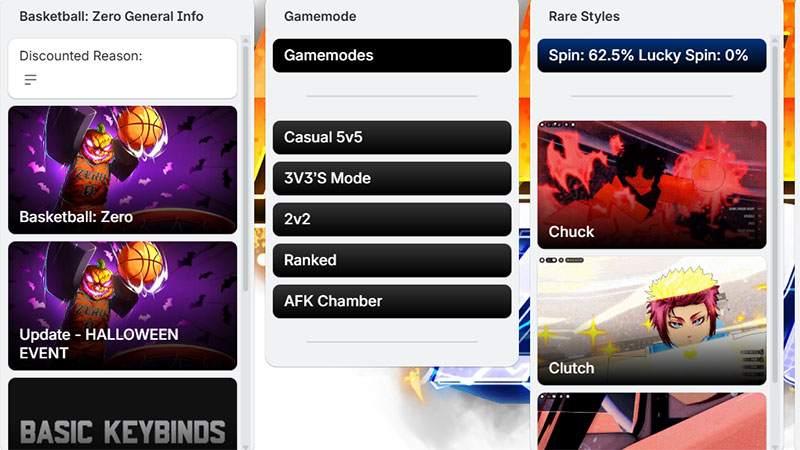
If you’re looking for information about Basketball Zero Trello, you’re not alone. Many players now want to access the game’s Trello to understand its mechanics, learn effective gameplay strategies, and stay updated on the latest information from the developers. Basketball Zero Trello is a comprehensive resource covering everything from skills, characters, and tactics to tips to help you quickly improve your performance in Basketball Zero.
-> Basketball Zero Trello Link: https://trello.com/b/ivZyBaRh/basketball-zero-information-discontinued
What is Trello Basketball Zero Link?
The Trello Basketball Zero Link is a link that takes you to the official Trello board for Basketball Zero, where the developers have compiled all the important information about the game.
Trello Basketball Zero User Guide
When accessing it, you should first look at the overview of the sections, then prioritize exploring Styles to choose a suitable play style, Zones to learn how to utilize buffs, and Gameplay to understand the basic mechanics. Each piece of information is in cards, so click on them to read the details instead of just skimming.
Also, don’t forget to check the Codes section for free rewards and follow Updates for the latest changes. Knowing how to use Trello correctly will help you progress faster and play the game much more effectively.
What’s on Basketball Zero’s Trello board?
Basketball Zero’s Trello contains the following key information:
- Information & Links: game, Discord, announcements
- Styles: skills, rarity, how to unlock them
- Zones: buffs and how to activate them
- Gameplay: gameplay mechanics, roles
- Codes: free reward codes
- Cosmetics: outfits, effects
- Gamepasses: items purchased with Robux
- Updates: updates, new content
- Tips: tips and strategies
Read more: Ninja Time Trello